Hytale - EyeSpy Mod: Download & Complete Features Guide
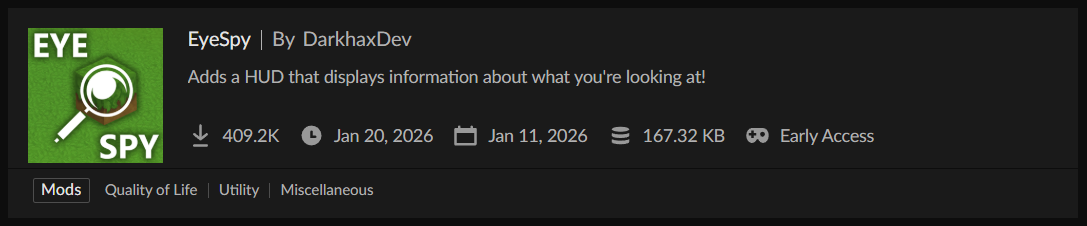
EyeSpy Hytale has become one of the most essential quality-of-life modifications since the game's early access launch, with over 400,000 downloads on CurseForge in just weeks. This HUD enhancement mod transforms how you interact with Hytale's world by displaying real-time information about blocks, entities, and containers directly in your view—eliminating constant interface interruptions and making exploration significantly more efficient.
What is the EyeSpy Mod?
EyeSpy is a contextual information display mod created by DarkhaxDev that adds a dynamic heads-up display (HUD) showing detailed data about whatever you're looking at. Rather than forcing you to open menus, break blocks to check their identity, or engage entities to learn their stats, EyeSpy Hytale surfaces this information instantly through an unobtrusive overlay.
The mod operates on a simple principle: point your crosshair at anything in the game world, and EyeSpy immediately presents relevant information. This seemingly basic feature dramatically improves gameplay flow, especially in heavily modded environments where identifying custom content becomes crucial.
Why EyeSpy Matters for Hytale Players
Hytale's early access version already includes numerous block types, mob varieties, and crafting stations. As the modding ecosystem expands, distinguishing between vanilla and modded content—or even between similar-looking blocks from different mods—becomes increasingly difficult. EyeSpy solves this fundamental usability problem elegantly.
The mod enhances several aspects of gameplay:
Exploration efficiency: Immediately identify interesting blocks, structures, or entities without breaking your exploration rhythm
Resource gathering: Know exactly what you're looking at before mining, preventing accidental destruction of valuable or decorative blocks
Modded content navigation: Instantly see which mod added a particular block or item, critical when troubleshooting conflicts or seeking more content from specific creators
Combat preparation: View enemy health and names before engaging, allowing strategic decisions about whether to fight or flee
Base organization: Check chest contents without opening them, streamlining storage management and item sorting
Complete Feature Breakdown
Block Information Display
When you target any block in Hytale, EyeSpy's HUD displays:
Block name: The exact identifier used by the game, removing guesswork about similar-looking blocks
Source mod: Shows "Hytale" for vanilla content or the mod name for custom additions—invaluable in environments running 20+ mods
Workstation tier: For crafting tables, furnaces, and specialized workbenches, EyeSpy indicates the tier or level, helping you determine if the station meets your current crafting needs without interaction
Processing status: Furnaces and similar processing blocks show a progress bar indicating how much time remains before completion, letting you plan your next actions without standing idle
This information appears in a clean overlay that doesn't obstruct your view. The HUD automatically positions itself to avoid covering important visual elements while remaining immediately readable.
Container and Inventory Previews
One of EyeSpy Hytale's most praised features is its container inspection capability. When looking at storage blocks:
Chest preview: See a miniature version of the chest's contents without opening it, displaying all stored items and their quantities
Storage organization: Quickly scan multiple chests to find specific items, eliminating the tedious process of opening every container
Barrel and crate support: Works with all storage types, not just standard chests
Shulker box contents: Even shows what's inside shulker boxes stored within chests (if applicable in future Hytale updates)
This feature alone justifies installing EyeSpy for players managing large bases with extensive storage systems. Instead of remembering which chest holds which materials, just look at them.
Entity Information
When targeting creatures, NPCs, or other entities, EyeSpy displays:
Entity name: Helps distinguish between similar mob types or identify rare variants
Current health: Shows remaining HP as a numeric value and/or health bar, crucial for combat decision-making
Maximum health: Total HP pool, helping assess threat levels
Entity source: Indicates whether the mob is vanilla or added by a mod
Additional stats: Future updates may include damage values, armor ratings, or special abilities
This real-time health information changes combat from guesswork to informed tactical decisions. You can see when enemies are nearly defeated, decide whether you can handle multiple threats, or recognize when retreat is the better option.
Crafting Station Identification
Hytale features numerous specialized crafting stations beyond basic workbenches. EyeSpy helps navigate this complexity:
Station type identification: Immediately know if you're looking at an Alchemist's Workbench, Builder's Table, or custom modded station
Required tier display: Shows what level workbench you need to craft specific items, preventing frustration when recipes don't appear
Upgrade status: Indicates if a station can be upgraded to a higher tier
Processing Progress Tracking
For any block that processes items over time (furnaces, crushers, fermenting barrels, etc.), EyeSpy shows:
Current progress: Visual progress bar indicating completion percentage
Time remaining: Exact seconds or minutes until the process finishes
Input/output preview: What's being processed and what it will produce
This eliminates the need to repeatedly check furnaces or wait around production facilities. Glance at them periodically while doing other tasks and return when the progress bar nears completion.
Understanding Block Spawners in EyeSpy
A common question from new players concerns the "Block Spawner" label that occasionally appears when using EyeSpy. This isn't a bug or error—it's revealing an invisible game mechanic.
What Are Block Spawners?
Block spawners are special blocks placed by Hytale's world generation system to control mob spawning in specific locations. They appear in:
Dungeons and structures: Generate enemies appropriate to the location
Ambient wildlife areas: Spawn passive creatures in biomes
Event locations: Trigger special encounters or boss fights
Prefab buildings: Created by modders or map makers to add life to structures
When EyeSpy identifies something as a "Block Spawner," it's showing you a functional block that exists at that coordinate but is typically invisible during normal gameplay. These blocks contain configuration data about what creatures spawn, how frequently, and under what conditions.
Why Players See Block Spawners
You'll most commonly encounter block spawner labels when:
- Looking at empty air in dungeons: The spawner exists but is invisible—EyeSpy reveals its presence
- Debugging custom maps or prefabs: Creators use block spawners extensively
- Using Creative Mode: Block spawners may be visible or partially visible in creative builds
- In modded environments: Some mods add visible spawner variants
This isn't a problem requiring fixing. EyeSpy is correctly identifying a real game object. If you're playing survival and encounter spawners, you now know that location will generate mobs.
Installation and Setup
Installing EyeSpy for Hytale follows the standard mod installation process, made simple through CurseForge integration.
Installation Steps
Method 1: CurseForge App (Recommended)
- Download and install the CurseForge App if you haven't already
- Launch the app and navigate to the Hytale section
- Search for "EyeSpy" in the mods browser
- Click "Install" on the EyeSpy mod page
- Launch Hytale through the CurseForge App
The app automatically handles mod compatibility, dependencies, and updates.
Method 2: Manual Installation
- Visit the EyeSpy CurseForge page
- Click the "Files" tab and download the latest version compatible with your Hytale installation
- Navigate to your Hytale installation directory
- Locate the "mods" folder (create it if it doesn't exist)
- Place the downloaded .jar file into the mods folder
- Launch Hytale
Important compatibility note: Always download the EyeSpy version matching your current Hytale early access release. Using mismatched versions may cause crashes or HUD display errors.
First Launch and Configuration
When you first run Hytale with EyeSpy installed:
- Test the HUD: Point at any block—you should see the information overlay appear
- Access settings: Press the designated hotkey (check mod options menu for the default binding)
- Customize display: Adjust HUD position, opacity, size, and what information displays
EyeSpy works immediately out of the box with sensible defaults, but customization options let you tailor the experience to your preferences.
Configuration Options and Customization
EyeSpy provides extensive configuration to match different playstyles and visual preferences.
Display Settings
HUD position: Move the information panel to any screen corner or edge that doesn't conflict with other UI elements
Scale adjustment: Increase or decrease the HUD size for readability based on your screen resolution
Opacity control: Make the HUD more transparent for minimal visual intrusion or fully opaque for maximum readability
Color schemes: Some versions allow customizing text and background colors to match your UI theme
Information Filters
Control exactly what information EyeSpy displays:
Block details toggle: Show/hide block names, mod sources, or both
Entity health toggle: Display or hide creature health information
Container preview toggle: Enable or disable chest/barrel content previews
Progress bars toggle: Show or hide processing progress for furnaces and similar blocks
These toggles let you reduce HUD clutter by hiding information you don't need while keeping essential features active.
Advanced Options
Update frequency: Adjust how often the HUD refreshes information (impacts performance on slower systems)
Display distance: Set maximum range for showing information (prevents clutter when looking at distant objects)
Ignore list: Specify blocks or entities to exclude from HUD display
Text formatting: Customize font style, size, and shadow effects for better readability
Compatibility and Mod Interactions
EyeSpy is designed to work alongside other Hytale mods with minimal conflicts, though some combinations require special consideration.
Known Compatible Mods
AutoMultiHud: This essential companion mod allows multiple HUD overlays to display simultaneously. Without it, EyeSpy might conflict with other HUD mods as Hytale's base game only supports one HUD at a time. AutoMultiHud automatically resolves this limitation.
Advanced Item Info: Complements EyeSpy by providing detailed item statistics when hovering over inventory slots. The two mods work together to create a comprehensive information system.
JEI (Just Enough Items) alternatives: Recipe viewing mods work perfectly alongside EyeSpy's block information system.
Minimap mods: No conflicts—EyeSpy's HUD is positioned to avoid overlapping with typical minimap locations.
Potential Conflicts
Other HUD mods: Without AutoMultiHud installed, only one HUD can display at a time. Install AutoMultiHud to resolve this.
Custom UI overhauls: Mods that completely redesign Hytale's interface might position elements where EyeSpy's HUD displays. Adjust EyeSpy's position settings to compensate.
Performance-intensive mods: On lower-end systems, running EyeSpy alongside extremely demanding mods might impact frame rates. Adjust EyeSpy's update frequency to reduce load.
Performance Considerations
EyeSpy is remarkably lightweight for its functionality, but performance varies based on your setup and settings.
System Impact
Minimal CPU usage: The mod only updates when looking at new blocks or entities, not constantly
Negligible memory footprint: Typically adds less than 50MB to Hytale's memory usage
GPU impact: Rendering the HUD overlay has minimal performance cost on modern graphics cards
Network optimization: In multiplayer, EyeSpy caches information to reduce server queries
Optimization Tips
For players experiencing performance issues:
- Reduce update frequency: Lower the refresh rate in settings
- Disable container previews: This is the most performance-intensive feature
- Limit display distance: Only show information for blocks within 5-10 blocks
- Lower HUD opacity: Fully transparent backgrounds render faster
- Use fewer simultaneous HUDs: If running multiple HUD mods, consider consolidating
Even on modest hardware, EyeSpy typically runs smoothly with these optimizations.
Common Questions and Issues
"Why does EyeSpy sometimes show 'Unknown' for blocks?"
This occurs with:
- Custom blocks from newly installed mods that haven't fully registered
- Blocks from disabled mods still present in the world
- Corrupted world data
Solution: Update all mods to compatible versions and verify world integrity.
"The HUD is covering important UI elements"
Use EyeSpy's position settings to relocate the display. Most players position it in the top-left or top-right corner where it rarely conflicts with other elements.
"Container previews aren't working"
Ensure you:
- Have the latest EyeSpy version
- Aren't looking at locked or encrypted storage (some modded chests prevent inspection)
- Have the feature enabled in settings
- Are standing close enough (some versions have range limits)
"Can EyeSpy see through walls or blocks?"
No. The mod only displays information for blocks and entities in your direct line of sight. It doesn't provide X-ray or wallhack functionality.
"Does using EyeSpy on servers get you banned?"
EyeSpy is a client-side information display mod that doesn't give unfair advantages. Most servers allow it. However, always check specific server rules, as some competitive or hardcore servers may restrict HUD mods.
Future Development and Updates
DarkhaxDev actively maintains EyeSpy throughout Hytale's early access period, with regular updates addressing bugs and adding requested features.
Recent Updates
Recent changelog highlights include:
- Vietnamese language support: Expanding accessibility to international players
- Crash fixes: Resolved issues when teleporting or viewing containers with unusual items
- MultipleHUD compatibility: Added native support for running alongside other HUD mods
- UI improvements: Enhanced readability and visual polish
Planned Features
Based on community feedback and developer comments, potential future additions include:
- Fluid information: Display liquid types and levels in tanks or barrels
- Redstone signal strength: Show redstone power levels on relevant blocks
- Light level display: Indicate block light levels for mob spawning calculations
- Villager trading preview: See NPC trade offers before interaction
- Extended entity information: More detailed mob statistics and abilities
The mod continues evolving alongside Hytale itself, with each early access update bringing refinements.
EyeSpy in Modded Gameplay
The mod truly shines in heavily modded Hytale environments where content variety explodes.
Modpack Benefits
When playing modpacks containing dozens or hundreds of mods:
Content identification: Instantly know which mod added interesting blocks you encounter Recipe planning: Identify required workstation tiers before attempting crafts Mod exploration: Discover new content by seeing mod names, then seeking more from those creators Troubleshooting: Quickly identify problematic blocks or entities when issues arise
Content Creation
For players building custom maps, adventure modes, or prefabs:
Spawner placement verification: See exactly where mob spawners exist in your builds Testing efficiency: Rapidly check block IDs and properties without opening debug menus Quality assurance: Verify all blocks and entities are correctly configured before release
Alternatives and Comparisons
While EyeSpy is the most popular Hytale information display mod, alternatives exist:
Advanced Item Info: Focuses specifically on item statistics rather than world blocks and entities. Use both together for comprehensive coverage.
Debug Screen mods: Provide extensive technical information but lack EyeSpy's user-friendly presentation and targeted focus.
WAILA/Hwyla ports: If/when created for Hytale, these Minecraft staples would offer similar functionality. EyeSpy currently fills this niche.
Block highlight mods: Show block outlines but typically lack detailed information display.
EyeSpy stands out for its balance of comprehensive information, clean presentation, and lightweight performance impact.
Conclusion
EyeSpy transforms Hytale from a game where information is hidden behind interactions into one where knowledge flows naturally through observation. Whether you're a survival player optimizing resource gathering, a builder verifying block types in creative mode, or a modpack enthusiast navigating hundreds of custom blocks, EyeSpy eliminates friction between you and the information you need.
With over 400,000 downloads in its first weeks and active ongoing development, the mod has proven essential to the Hytale experience. Its lightweight implementation, extensive customization, and perfect integration with the modding ecosystem make it a must-have addition to any modded setup.
Download EyeSpy from CurseForge and experience how much smoother Hytale becomes when information is always at hand. Point your crosshair, get your answers, and keep playing—it's that simple.