Hytale - BetterMap Mod: Download & Complete Features Guide
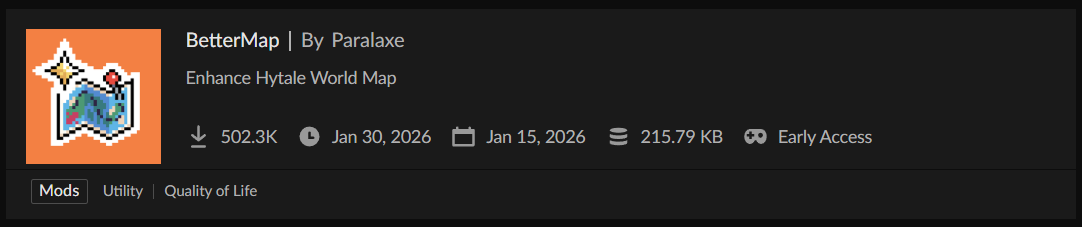
BetterMap Hytale has rapidly become one of the most downloaded quality-of-life mods since early access launched, with over 500,000 downloads on CurseForge in just weeks. This server-side modification completely revolutionizes Hytale's default mapping system by introducing persistent exploration, customizable waypoints, shared map data, and countless features that make navigating Orbis dramatically more efficient for both solo players and multiplayer communities.
What Makes BetterMap Essential for Hytale?
Hytale's vanilla map implementation suffers from a critical limitation: it only displays a small area around your current position and immediately forgets previously explored regions. The moment you move away, that information vanishes, forcing constant reorientation and making long-distance navigation frustrating.
BetterMap Hytale solves this fundamental problem by implementing a persistent mapping system. Every area you explore is permanently saved, building a comprehensive record of your travels that survives server restarts, disconnections, and world switches. This single change transforms exploration from a repetitive exercise into genuine discovery, where each journey expands your permanent knowledge of the world.
Why Players Love BetterMap
The mod addresses pain points that affect every Hytale player:
Navigation confidence: Never get lost again—your map shows everywhere you've been, making backtracking and route planning trivial
Base management: Mark important locations with custom waypoints, ensuring you always remember where you placed that hidden storage bunker or remote mining outpost
Multiplayer coordination: Share exploration data with teammates, creating a unified map that grows as anyone in your group explores
Resource efficiency: Avoid re-exploring the same areas looking for specific biomes or structures by maintaining a clear record of what you've already surveyed
Quality of life improvements: Zoom customization, player radar, coordinate display, and numerous other features streamline the overall gameplay experience
The mod works entirely server-side, meaning it doesn't require client-side installation from players joining your server—a huge advantage for server administrators managing large communities.
Core Features and Functionality
Persistent Exploration System
BetterMap's foundational feature is its exploration persistence. As you traverse Hytale's procedurally generated world:
Automatic territory recording: Every chunk you visit is photographed and stored permanently in the mod's database
Fog of war removal: Unlike vanilla Hytale where unexplored areas remain completely dark, BetterMap gradually reveals the map as you explore, with explored regions staying visible forever
Per-world storage: Map data is saved separately for each world/dimension, preventing conflicts in multi-world server setups
Auto-save protection: The mod automatically saves exploration data every 5 minutes (configurable), ensuring you never lose significant progress even if the server crashes
Player-specific data: Each player maintains their own exploration record (unless shared exploration is enabled), allowing individual progression tracking
This system operates transparently in the background. Simply explore normally—the mod handles everything else.
Advanced Waypoint System
The waypoint feature elevates BetterMap from a simple mapping improvement to a comprehensive navigation tool.
Waypoint creation: Place markers at your current position with the /bm waypoint command or through the graphical menu interface
Custom naming: Give each waypoint a descriptive name like "Main Base," "Diamond Mine," "Village Trade Hub," or "Boss Arena"
Color coding: Assign different colors to waypoints for visual categorization (red for dangerous areas, green for resources, blue for bases, etc.)
Personal vs. global waypoints: Create private waypoints only you can see, or share them with all server members using global waypoints
Waypoint management UI: A full graphical interface lets you add, edit, delete, rename, recolor, and share waypoints without memorizing commands
Teleportation capability: With appropriate permissions, players can teleport directly to waypoints through the UI, transforming them into fast-travel points (perfect for server admins or cooperative gameplay)
Waypoints appear as colored markers on your map, making it trivial to plan routes to multiple locations or quickly locate important areas when you need them.
Shared Exploration Mode
One of BetterMap for Hytale's most celebrated features is "Linked Map" mode, which enables collaborative cartography.
Team mapping: When enabled, all players contribute to a single shared map—areas explored by anyone become visible to everyone
Real-time updates: Exploration data synchronizes instantly as players discover new regions
Collective knowledge: Perfect for guilds, faction servers, or friend groups working together to map an entire continent
Strategic planning: See where teammates have already explored to avoid redundant scouting and coordinate coverage of unexplored territory
Server-wide visibility: Administrators can enable this globally so the entire server collaborates on creating a complete world map
This feature transforms mapping from an individual task into a community achievement, encouraging cooperation and coordination among players.
Player Radar and Tracking
BetterMap includes a compass-integrated radar system showing nearby player positions:
Adjustable range: Set the radar to show players within a specific distance, or configure it for unlimited range
Toggle capability: Players or administrators can enable/disable the radar entirely based on server preferences
Player cursor display: See where other players are on the map in real-time, facilitating meetups or avoiding conflicts
Configurable visibility: Administrators can hide player cursors if the server wants to preserve some mystery or support stealth gameplay
The radar proves invaluable on cooperative servers where coordinating with teammates is essential, while also being toggleable for servers preferring more isolated experiences.
Customizable Zoom Controls
Unlike vanilla Hytale's fixed zoom levels, BetterMap provides granular control:
Personal zoom limits: Each player can set their own minimum and maximum zoom levels using /bm min <value> and /bm max <value> commands
Wide-angle overview: Zoom out to see vast territories at once, perfect for planning long journeys or surveying conquered lands
Detailed inspection: Zoom in close to examine specific areas with precision
Saved preferences: Zoom settings persist across sessions—set them once and forget
Recommended ranges: Default minimum is 32, maximum is 256, though players can adjust these based on their screen resolution and preferences
This flexibility accommodates different playstyles, from explorers who want broad overviews to builders who need precise navigation.
Coordinate and Direction Display
An optional on-screen overlay shows your current position and heading:
Real-time coordinates: Displays X, Y, Z coordinates continuously, eliminating the need to open debug menus
Cardinal direction: Shows which way you're facing (North, South, East, West, or specific degrees)
Personal toggle: Each player can enable or disable this display based on whether they find it helpful or cluttering
Server defaults: Administrators can set the server-wide default (on or off), which players can then override individually
This feature particularly benefits players coordinating locations with friends, following map-based guides, or building large structures requiring precise positioning.
Map Quality Settings
BetterMap offers three quality presets balancing visual fidelity against performance:
LOW quality: Loads up to 30,000 chunks with 8×8 pixel images—maximizes coverage, minimal detail
MEDIUM quality (default): Loads up to 10,000 chunks with 16×16 pixel images—balanced approach for most players
HIGH quality: Loads up to 3,000 chunks with 32×32 pixel images—stunning detail but limited simultaneous chunk loading
These settings prevent memory overflow crashes that plagued earlier versions. The mod dynamically loads chunks near your current position and unloads distant ones, ensuring smooth performance regardless of how much total territory you've explored.
Installation and Setup
Installing BetterMap Hytale follows Hytale's standard server-side mod installation process, with some important considerations.
Server-Side Installation
Method 1: CurseForge App (Recommended)
- Download and install the CurseForge App
- Create a Hytale server profile or select your existing server
- Navigate to the "Get More Content" section
- Search for "BetterMap"
- Click "Install" on the BetterMap mod page
- Launch your server through the CurseForge App
Method 2: Manual Installation
- Visit the BetterMap CurseForge page
- Click the "Files" tab and download the latest version compatible with your Hytale server version
- Navigate to your Hytale server directory
- Locate or create the "mods" folder
- Place the downloaded BetterMap-[version].jar file into the mods folder
- Start your Hytale server
The mod installs exclusively on the server—clients don't need to download anything. When players connect to a server running BetterMap, they automatically access all features through the vanilla Hytale client.
Initial Configuration
When BetterMap first runs on your server:
- Configuration file creation: The mod generates
mods/bettermap/config.jsoncontaining all settings - Data directory setup: Creates
mods/bettermap/data/for storing world-specific exploration data - Default settings activation: The mod applies sensible defaults suitable for most servers
You can immediately use BetterMap with these defaults, or customize settings to match your server's specific needs.
World Tracking Setup
BetterMap includes a world whitelist system preventing issues with hosting providers that use dynamic world names:
- Join your target world as an operator
- Execute
/bm config trackto add the current world to the tracked worlds list - Verify the world appears in your configuration file
This step ensures BetterMap knows which worlds to monitor and prevents data conflicts.
Command Reference and Permissions
BetterMap uses a hierarchical permission system where basic features are available to all players while administrative functions require specific permissions.
Commands Available to All Players
Map Status and Information
/bettermapor/bm: Displays current mod status, active settings, and general information
Waypoint Management
/bm waypoint,/bm menu,/wp, or/waypoint: Opens the waypoint management UI where you can create, edit, delete, share, and teleport to waypoints
Personal Zoom Controls
/bm min <value>: Sets your personal minimum zoom level (how far you can zoom out)/bm max <value>: Sets your personal maximum zoom level (how close you can zoom in)
These commands require no special permissions—every player can use them immediately.
Teleportation Permission
Permission: dev.ninesliced.bettermap.command.base.teleport
This permission allows teleporting to waypoints via the UI buttons. Grant it to players on cooperative servers where fast travel improves the experience, or restrict it on survival servers where journey time matters.
Global Waypoint Permission
Permission: dev.ninesliced.bettermap.command.waypoint.global
Allows creating, viewing, and managing global (shared) waypoints visible to all players. Without this permission, players can only create personal waypoints.
Administrative Commands
Permission: dev.ninesliced.bettermap.command.config
Required for all /bm config commands:
Radar Configuration
/bm config radar <range>: Sets radar range in blocks (use -1 for unlimited)
Display Toggles
/bm config location: Toggles server-wide coordinate/direction display/bm config hideplayers: Hides player cursors on the map/bm config hidewarps: Hides other players' waypoints/bm config hideunexploredwarps: Hides waypoints in unexplored areas/bm config hidepois: Hides points of interest on the map/bm config hideunexploredpoi: Hides POIs in unexplored regions
Teleportation Controls
/bm config waypointteleport: Enables/disables waypoint teleportation/bm config markerteleport: Enables/disables marker teleportation
Map Behavior
/bm config shareallexploration: Toggles Linked Map (shared exploration) mode/bm config track//bm config untrack: Adds or removes current world from the tracking whitelist
Performance Settings
/bm config maxchunk <number>: Manually sets maximum loaded chunks (overrides quality presets)/bm config autosave <minutes>: Sets auto-save interval
Configuration Reload
Permission: dev.ninesliced.bettermap.command.reload
/bm reload: Immediately reloads the configuration file without requiring a server restart
This proves invaluable when testing different settings or making live adjustments.
Granting Permissions
Using OP (Full Access)
/op add <player>
Grants complete access to all BetterMap features and commands.
Using Permission Groups (Granular Control)
/perm group add <GroupName> <permission>
Example assigning teleport permission to an "Adventure" group:
/perm group add Adventure dev.ninesliced.bettermap.command.base.teleport
This fine-grained control lets you create permission tiers matching your server's progression or donor systems.
Configuration File Structure
The mods/bettermap/config.json file contains all server-wide settings. Key configuration options include:
mapQuality: "LOW", "MEDIUM", or "HIGH"—balances visual quality against memory usage
maxChunksToLoad: Manually override chunk limits (requires restart)
autoSaveInterval: Minutes between automatic saves (default: 5)
shareAllExploration: true/false for Linked Map mode
radarRange: Distance in blocks for player radar, or -1 for unlimited
showPlayerLocation: Default state for coordinate display
hideUnexploredWarps: Whether waypoints in unexplored areas are hidden
trackedWorlds: Array of world names to monitor
Note: Changes to mapQuality or maxChunksToLoad require a full server restart to apply. All other settings can be reloaded with /bm reload.
Troubleshooting Common Issues
Map Appearing Blank After World Switch
Symptom: After switching between worlds (like Orbis to Nether), the map displays as completely black or blank.
Cause: Earlier BetterMap versions had a bug where world switching broke map rendering.
Solution:
- Update to BetterMap version 1.2.4 or later—this bug is fixed in recent releases
- If using an older version,
/bm reloadsometimes forces a map refresh - As a last resort, restart the server to reset the map system
Prevention: Always run the latest BetterMap version, as the developers actively fix bugs like this in rapid update cycles.
Blank Map Sections or "Blue Map" Issue
Symptom: Portions of the map appear solid blue or white instead of showing terrain.
Cause: Memory overflow from loading too many chunks simultaneously.
Solution:
- Lower map quality setting—switch from HIGH to MEDIUM or MEDIUM to LOW
- Reduce maximum chunks with
/bm config maxchunk <lower_number> - Increase server RAM allocation if running a dedicated server
The mod's dynamic chunk loading system introduced in version 1.1 mostly eliminated this issue, but it can still occur on servers with limited resources.
Waypoint Teleportation Not Working
Symptom: The teleport button in waypoint UI is grayed out or produces an error.
Cause: Missing teleportation permission or waypoint teleportation disabled server-wide.
Solution:
- Verify you have
dev.ninesliced.bettermap.command.base.teleportpermission - Check if teleportation is enabled:
/bm config waypointteleport(admins only) - Ensure the waypoint exists in an explored area (if hideunexploredwarps is enabled)
Global Waypoints Not Appearing
Symptom: Waypoints created by other players don't show on your map.
Cause: Either lack of global waypoint permission or a synchronization bug in older versions.
Solution:
- Update to BetterMap 1.2.3 or later—synchronization issues were fixed
- Verify you have
dev.ninesliced.bettermap.command.waypoint.globalpermission - Server admin should check if global waypoints are enabled in config
Zoom Commands Causing Crashes
Symptom: Setting minimum zoom below a certain value crashes the client or produces errors.
Cause: The mod enforces a minimum scale of 2.0 to prevent zoom-related crashes.
Solution:
- Don't set zoom minimum below 2.0—the mod will automatically enforce this limit
- Use reasonable values: minimum between 8-32, maximum between 128-512
- If experiencing crashes, reset to defaults:
/bm min 32and/bm max 256
Coordinates Not Displaying
Symptom: Location overlay doesn't appear even when enabled.
Cause: Location display was temporarily disabled in version 1.2.1 due to compatibility issues.
Solution:
- Update to version 1.2.2 or later where the feature was re-enabled
- Toggle it on with
/bm location(if available in your version) - Check server default setting:
/bm config location
Performance Issues and Lag
Symptom: Server TPS drops or client FPS decreases after installing BetterMap.
Cause: Map quality setting too high for your hardware or too many chunks loaded.
Solution:
- Lower map quality from HIGH to MEDIUM or LOW
- Reduce auto-save frequency:
/bm config autosave 10(or higher) - Disable radar if not needed:
/bm config radar 0 - Limit tracked worlds to only essential ones
- Allocate more RAM to your server
Most performance issues stem from using HIGH quality on modest hardware. MEDIUM balances quality and performance for virtually all servers.
Advanced Usage and Pro Tips
Creating Effective Waypoint Systems
Color-code by function:
- Red: Danger zones, boss arenas, difficult dungeons
- Green: Resource locations (farms, mines, quarries)
- Blue: Safe bases, respawn points
- Yellow: Points of interest, villages, quest locations
- Purple: Work-in-progress areas needing return visits
Naming conventions: Use descriptive prefixes like:
BASE_for various basesMINE_for mining locationsFARM_for agricultural areasQUEST_for story or achievement locations
This organization helps when you have dozens of waypoints and need to find specific ones quickly.
Optimizing Shared Exploration
When running Linked Map mode on multiplayer servers:
- Coordinate exploration roles: Assign players to map different regions systematically
- Mark discovered locations immediately: Create waypoints for important finds so teammates know where to go
- Use global waypoints for community resources: Share farms, shops, communal storage, and gathering spots
- Personal waypoints for secret bases: Keep private locations unshared for security
Performance Optimization Strategy
For large servers (20+ players):
- Use LOW or MEDIUM quality
- Increase auto-save interval to 10-15 minutes
- Disable player radar or limit range to 100-200 blocks
- Track only main world, not every dimension
For small servers (2-10 players):
- MEDIUM or HIGH quality works well
- Keep standard auto-save (5 minutes)
- Full radar range (-1) for easy coordination
- Track all frequently used worlds
For single-player or small friend groups:
- HIGH quality for beautiful maps
- Frequent auto-save (3 minutes) for maximum safety
- Unlimited radar if desired
- Track everything
Waypoint Teleportation Strategy
If enabling teleportation, consider these approaches:
Survival-friendly: Require players to physically visit a location before creating a teleport waypoint there, preserving journey importance while enabling later fast travel
Creative/Administrative: Allow unrestricted teleportation for operators managing the server or creative mode builders
Economy integration: Create a donation tier or in-game currency cost for waypoint teleportation, balancing convenience with server economy
Cooldown systems: Use external plugins to add cooldowns between teleports, preventing teleportation spam
Compatibility and Mod Interactions
BetterMap is designed to work alongside other Hytale mods with minimal conflicts.
Known Compatible Mods
EyeSpy: The information display mod works perfectly with BetterMap—one enhances map navigation while the other provides block/entity details
Advanced Item Info: No conflicts—operates in different systems (inventory vs. world map)
Wayback Charm: If both mods provide teleportation, assign different keybinds or disable one teleportation system to avoid confusion
Quality-of-life mods: Generally compatible with inventory management, visual enhancement, and gameplay tweak mods
Potential Conflicts
Other mapping mods: Installing multiple map mods simultaneously creates conflicts. Choose one mapping solution per server.
World generation mods: Heavy terrain generation modifications may occasionally cause chunk loading issues with BetterMap. Test thoroughly and adjust quality settings if needed.
Server management plugins: Some hosting panel tools conflict with BetterMap's file system access. Use /bm config track to explicitly whitelist worlds if the mod doesn't detect them automatically.
Future Development and Updates
The BetterMap development team (Paralaxe and Theobosse of Team Ninesliced) actively maintains the mod throughout Hytale's early access period.
Recent Major Updates
Version 1.2.7 (Latest):
- Further stability improvements
- Enhanced waypoint synchronization
- Performance optimizations
Version 1.2.6:
- Additional bug fixes
- UI improvements
Version 1.2.4:
- Fixed black map after world switch bug
- Minimum scale enforcement preventing zoom crashes
- Added
/wpand/waypointshortcut commands
Version 1.2.3:
- Reactivated global waypoints with proper synchronization
- Fixed waypoint UI permission issues
- Corrected player radar duplicate display bug
Version 1.2.2:
- Fixed critical Linked Map generation bug
- Resolved map zoom command issues
- Improved shared exploration reliability
Planned Features
Based on community feedback and development roadmap discussions:
- Biome detection integration: Automatically label explored regions by biome type
- Structure markers: Flag discovered villages, dungeons, temples automatically
- Export functionality: Save maps as image files for external viewing or sharing
- Custom POI types: Let players create different marker categories beyond basic waypoints
- Path recording: Optionally track and display routes you've traveled
- Minimap integration: Companion minimap in a corner of the screen showing nearby area
The developers actively monitor CurseForge comments and their Discord server for bug reports and feature suggestions.
BetterMap in Different Server Types
Survival Servers
BetterMap excels in survival environments by:
- Reducing time lost to navigation
- Helping players remember distant resource locations
- Facilitating base-to-base travel for trading communities
- Recording dangerous areas to avoid or revisit when prepared
Recommended settings: MEDIUM quality, personal waypoints only, teleportation disabled or economy-gated
Creative Building Servers
Creative servers benefit from:
- Comprehensive project location tracking
- Easy navigation between building sites
- Shared exploration showing what areas are being developed
- Teleportation enabling rapid project-hopping
Recommended settings: HIGH quality (if server can handle it), global waypoints enabled, full teleportation access
Roleplay Servers
RP servers can use BetterMap for:
- Creating in-character points of interest (inns, shops, government buildings)
- Faction territory mapping
- Event location markers
- Shared city/settlement navigation
Recommended settings: MEDIUM quality, global waypoints for public locations, personal waypoints for character-specific areas, teleportation based on RP magic systems
Adventure/Quest Servers
Adventure maps and quest servers leverage:
- Quest location waypoints guiding players to objectives
- Progress tracking through map completion
- Hidden area revelation as puzzles are solved
- Shared exploration for cooperative questing
Recommended settings: Variable quality based on server performance, curated global waypoints for quest stages, teleportation as reward for quest completion
Conclusion
BetterMap transforms Hytale's mapping from a frustrating limitation into a powerful navigation and coordination tool. The mod's combination of persistent exploration, flexible waypoint systems, shared mapping capabilities, and extensive customization options makes it indispensable for virtually every Hytale server.
Whether you're a solo player tired of getting lost, a small friend group coordinating builds, or a large server community mapping an entire continent together, BetterMap provides the features you need without compromising performance or requiring client-side installation.
With over 500,000 downloads, active development addressing bugs within days, and a feature set that continues expanding based on community feedback, BetterMap has established itself as one of the essential Hytale early access mods. Its server-side architecture, comprehensive permission system, and zero client requirements make it perfect for administrators, while its intuitive commands and graphical interfaces ensure accessibility for all players.
Download BetterMap from CurseForge and experience Hytale exploration as it should be—with a map that remembers everywhere you've been and helps you navigate everywhere you want to go.